
Productivity everyday
Browser Storage
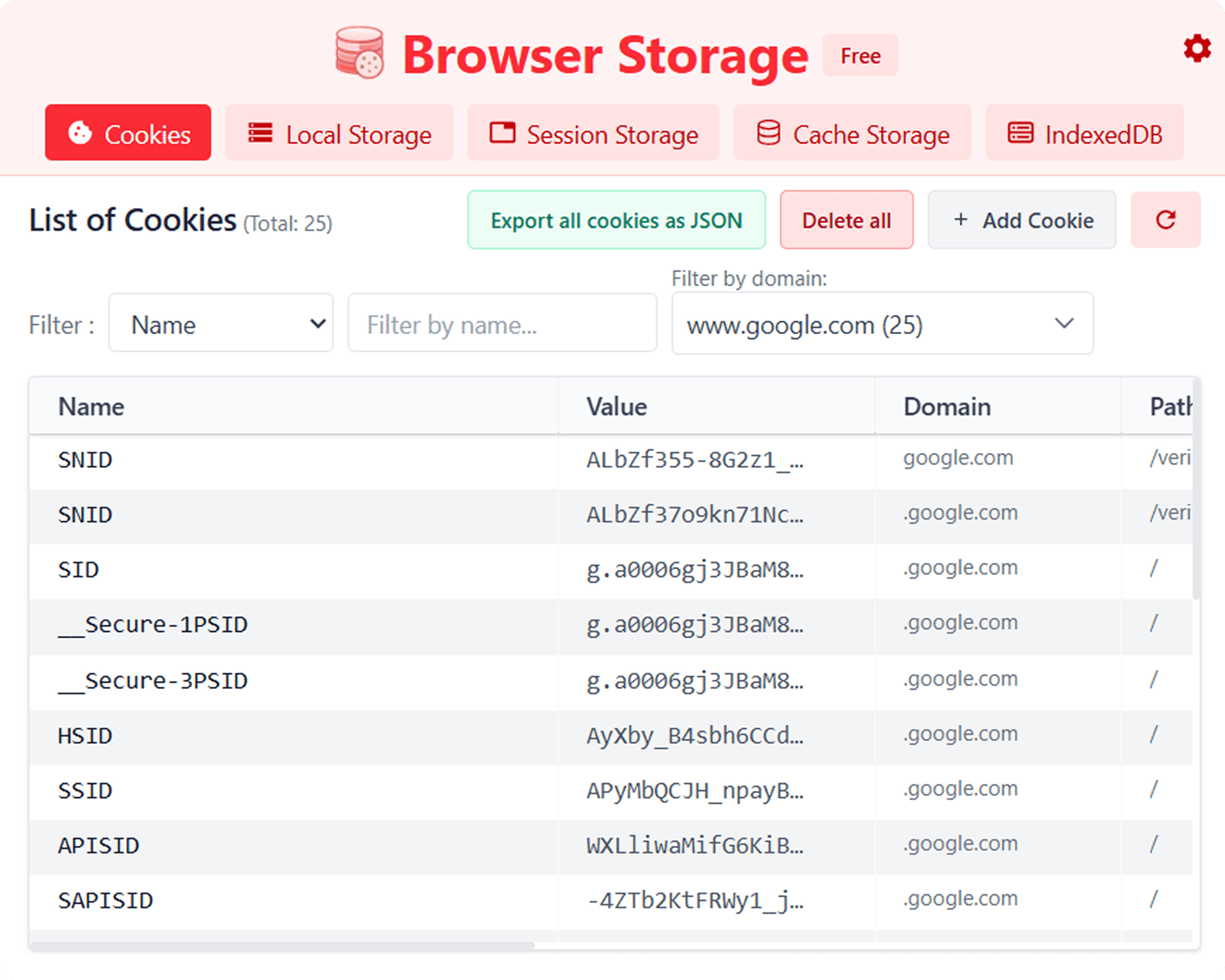
View and manage Cookies & Local Storage for the current tab. Inspect, add, and delete records with ease.
FEATURES
One tool.
Complete control.
Inspect, edit, and manage every layer of browser storage from a single, developer-first popup that stays out of your way.

Unified Storage View
Access Cookies, Local Storage, Session Storage, Cache, and IndexedDB in one streamlined window.
Real-Time Search
Instantly filter by key or value so you can find exactly what you need without endless scrolling.
Full CRUD Support
Add, edit, or delete entries on the fly, including changing expiration dates or keys directly from the UI.
Bulk Operations
Export storage profiles for analysis or wipe entire categories with a single click.
Developer-First UI
A compact, high-performance popup designed to stay out of your way while you work.
Built for Your Workflow
Supercharge Your Workflow
AUTH DEBUGGING
Fix login issues without a full refresh.
Inspect and adjust session tokens or cookies in place so you can reproduce edge cases and confirm fixes in seconds.
STATE TESTING
Toggle app states by hand.
Toggle app settings and experiment with feature flags by modifying Local Storage values in real-time.
DATA CLEANUP
Reset noisy environments instantly.
Clear stale cache entries or problematic storage keys so you and your users always test against a clean slate.
QA REPORTING
Share exact storage state with your team.
Export storage records for any tab so QA can attach precise context to tickets and engineers can reproduce bugs faster.
FAQ
Answers for power users.
Everything you need to know about how Browser Storage works, how it treats your data, and how Premium unlocks more speed.
Get in
touch with us
We're here to help! Whether you have a question about our services, need assistance with your account, or want to provide feedback, our team is ready to assist you.
Email:
pixelapp24@gmail.com